![Flinn-Logo (1)-2.png]](https://help.flinncomply.com/hs-fs/hubfs/Flinn-Logo%20(1)-2.png?height=43&name=Flinn-Logo%20(1)-2.png)
Overview
The Statistics feature transforms raw satefy database search results into clear, clustered insights. Instead of manually counting or exporting data, you can instantly explore tables that highlight key patterns across devices, manufacturers, and incident types.
This feature helps you:
- 📈 Easily manage high result volumes in FDA MAUDE
-
📊 Spot trends at a glance – identify recurring issues or risk patterns.
-
⏱️ Bulk Evaluate – no more tedious spreadsheet work.
-
✅ Strengthen compliance – use evidence-based tables to support audits and risk management.
🔍 The Statistics feature is currently available for MAUDE and BfArM reports. Other databases are not considered.
❔How to Use
- Run your safety database search as usual (you'll need some BfArM or FDA MAUDE results).
- Click the Statistics tab in your results view.
- Group by a chosen category.
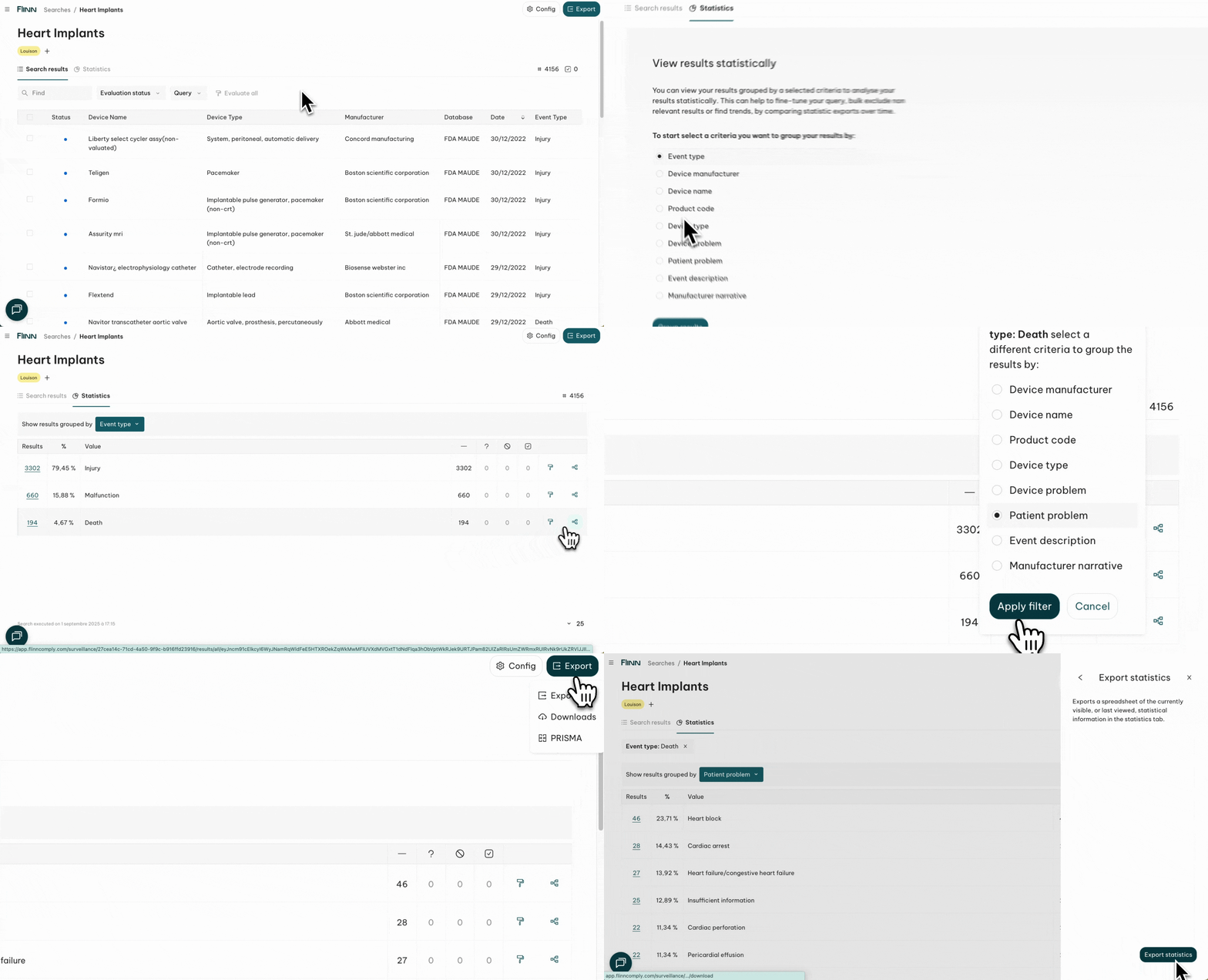
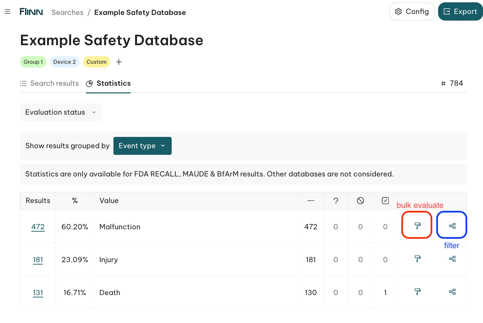
- Review the interactive table showing the number of results and percentage of each subcategory.
- Drill into one category with the Add Filter (connecting-dots) button on the right side of a line.
- Bulk-evaluate an entire group with the paintbrush button on the right side of a line.
🔍 Insightful example you can try
Group by Event Type to see which categories occur most often.
- 📊 For some devices, injuries are reported more frequently.
- ⚙️ For others, malfunctions tend to dominate.
- 👁️ Easily spot if death events were reported for your device type.
Drill deeper:
- On Death, Injury, or Malfunction, click the connecting-dots button on the right and select Patient Problem.
- You'll get insights into all the adverse effects reported on patients for the event type you selected.
Take action:
- 📥 Export the statistical view to include these insights in your PMS report.