![Flinn-Logo (1)-2.png]](https://help.flinncomply.com/hs-fs/hubfs/Flinn-Logo%20(1)-2.png?height=43&name=Flinn-Logo%20(1)-2.png)
When searching incident reports you can adopt 2 strategies:
- Utilize the Ongoing Search Mode to establish uninterrupted incident surveillance for your device. This approach is highly advisable for automating your incident monitoring procedures and receiving notifications and reports when critical incidents are detected. This enables you to maintain an up-to-date surveillance system, thus, ensuring high compliance.
- Employ the Date Range Search Mode to specify the particular time period within which you wish to conduct your search. This can be useful for locating a specific report or retrieving historical data related to your devices.
Accessibility
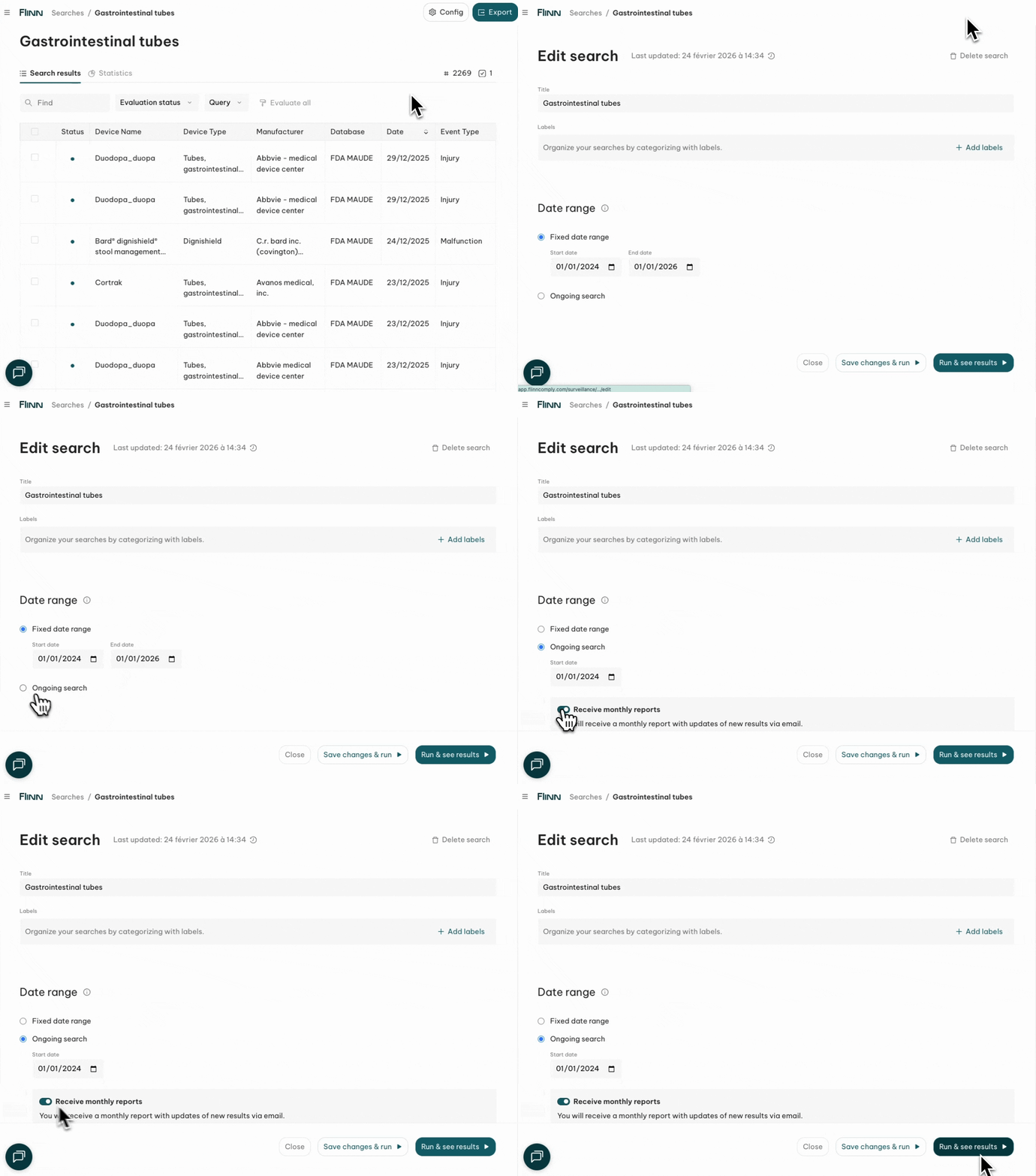
Ongoing
- Flexible search without a fixed end date, ideal for continuous monitoring of databases.
- We execute your query every night and will add new results to the list automatically.
- New results will be marked with a blue dot.
- You will receive a summary email once a month.
Date Range
- Specify start and end dates for focused searches within a timeframe.
- Useful for trend analysis and historical research.