![Flinn-Logo (1)-2.png]](https://help.flinncomply.com/hs-fs/hubfs/Flinn-Logo%20(1)-2.png?height=43&name=Flinn-Logo%20(1)-2.png)
The Export feature allows you to generate both high-level reports and detailed historical data for various purposes, including management review, internal audits, and regulatory submissions.
You can access the export functionality by clicking the Export button in the top right corner of the main Regulatory Monitoring List.
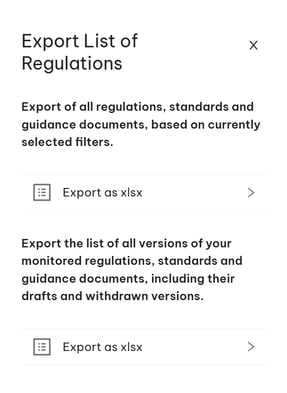
1. Exporting Your Current List of Regulations
The first option allows you to quickly export the data displayed on your screen, based on your active filters and search criteria.
How to Use the Current List Export
-
-
Filter Your Data: Before exporting, use the filters (Status, Geography, Assignee, etc.) to narrow the list to the specific documents you need (e.g., only documents currently in "Review Required" or only documents for a specific "Device").
-
Click Export: Click the Export button and select the top Export as xlsx link.
-
Review the Output: The generated Excel file will precisely reflect the filtered data set from the screen.
-
2. Exporting the Full Document History
The second export option is designed for comprehensive historical documentation and deep dives into all monitored changes.
When to Use the Full Document History Export
Use this option when you need to provide an auditor or compliance manager with a complete, time-stamped record of all regulatory changes that Flinn has tracked for your company. Unlike the first export, this ensures you capture information about every regulatory event, not just the current active documents.