![Flinn-Logo (1)-2.png]](https://help.flinncomply.com/hs-fs/hubfs/Flinn-Logo%20(1)-2.png?height=43&name=Flinn-Logo%20(1)-2.png)
Turn hours of manual extraction into minutes of review
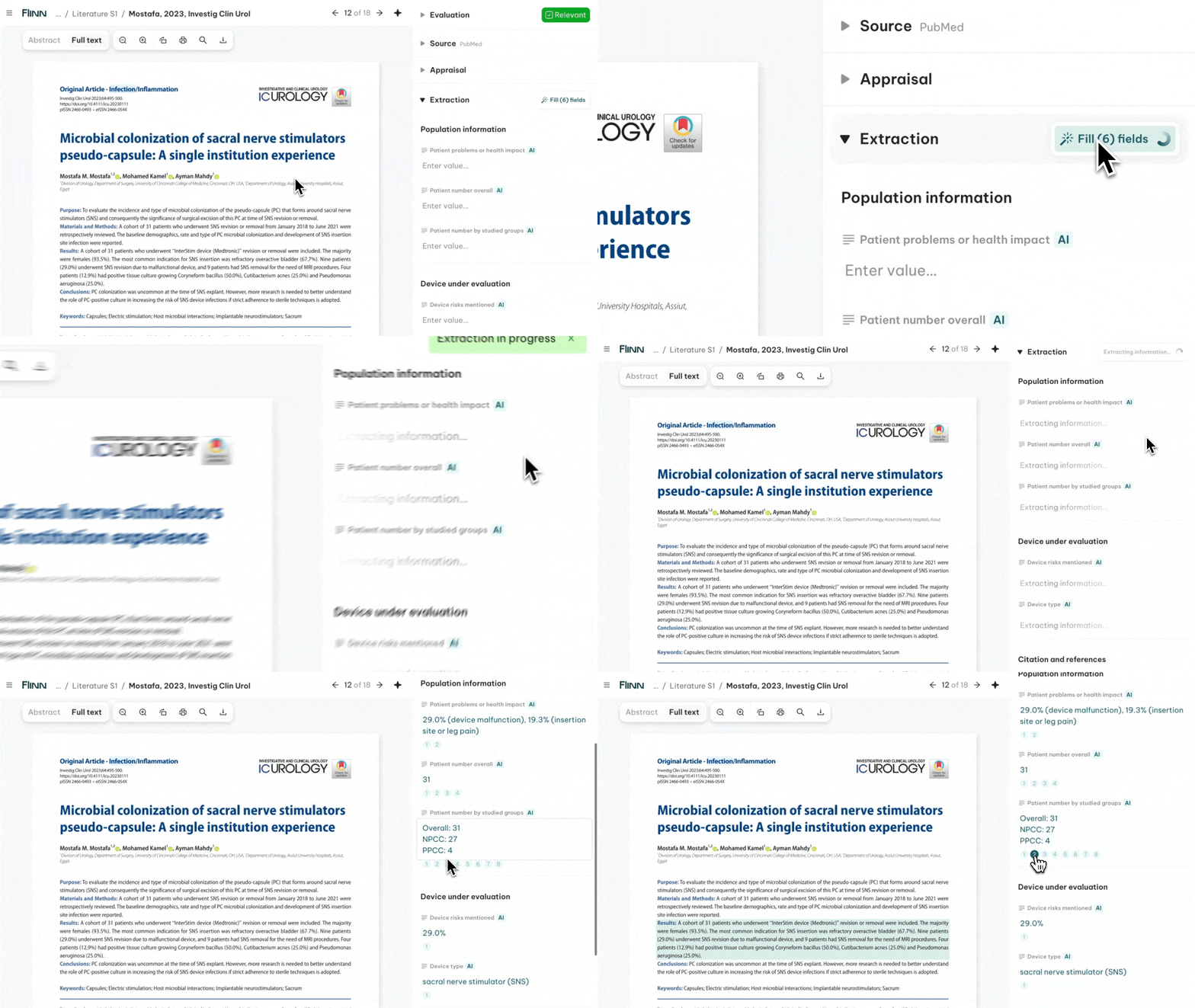
Flinn's AI reads each paper and fills in your extraction template for you — so you can assess more publications and capture more data in far less time. You stay in control: review the proposed values, edit anything, and export.
How it works
- AI autofills your extraction template.
- One click triggers every field at once.
- Review and edit the proposed values.
- Export — every value is documented in your Excel report.
🔧Use Pre-Defined Fields
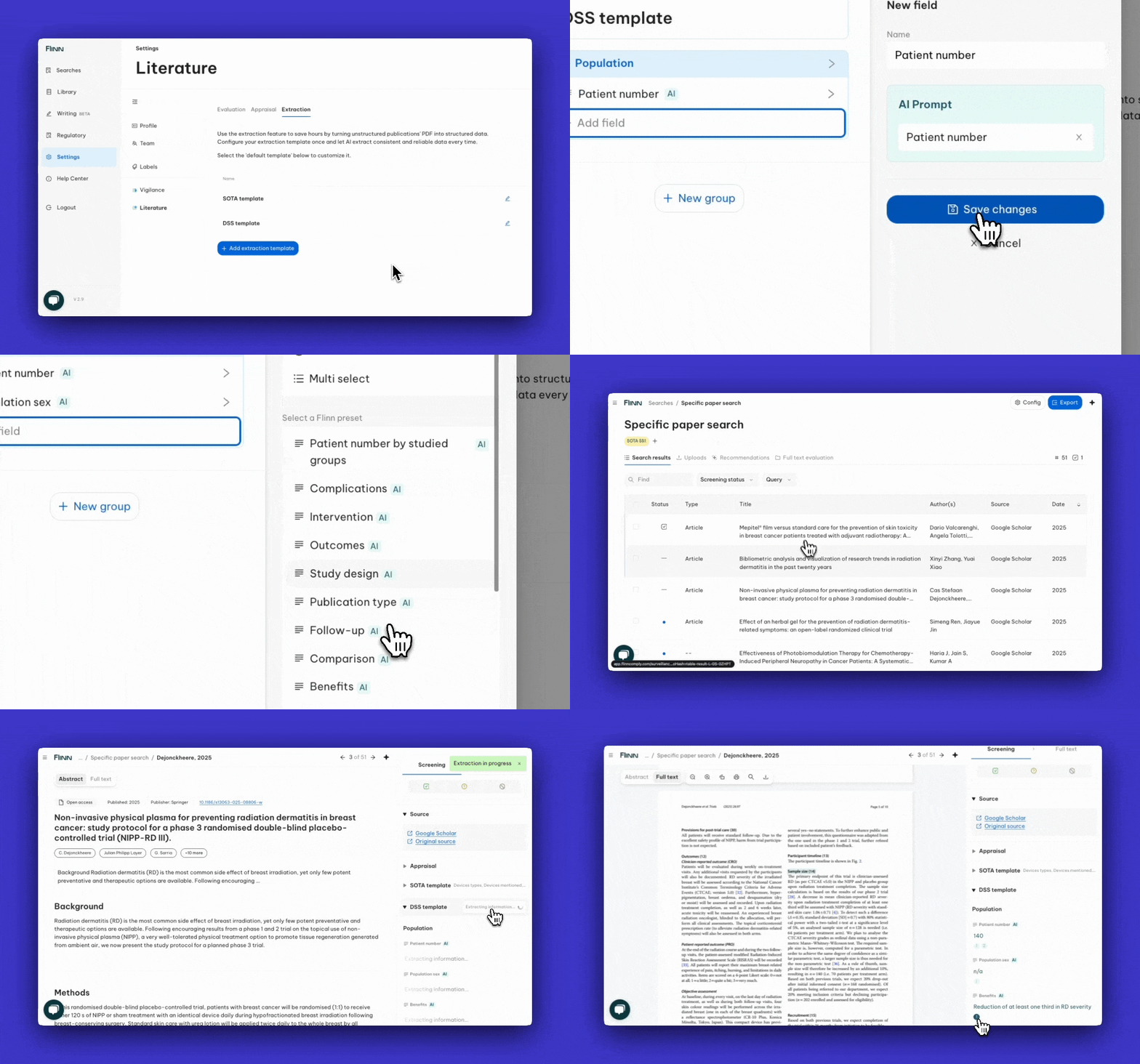
Flinn ships a growing library of ready-to-use, expert-built extraction fields — such as Population Sex, Complications, and Study Design — that you can add to any template in one click, for consistency across your reviews.
To use them, go to Settings → Literature → Extraction and browse the available fields.
✍️ Create your own AI fields
In addition to using predefined fields for AI data extraction, you can create custom fields by providing your own prompt, allowing you to tailor the extraction to your specific needs.
- Go into Settings > Literature > Extraction
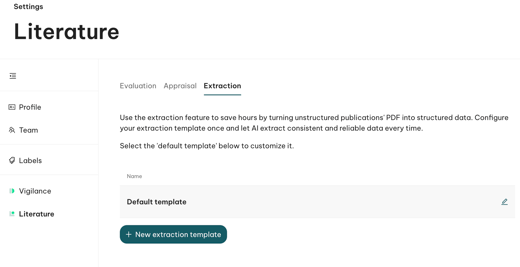
- Open a Data Extraction Template.
- Create a group and add a field.
- Choose “Text” and select “Custom prompt”.
- Name the field and describe what the AI should extract.
For specialized or complex fields, your CS expert can help you design the prompt — just reach out.
You can add up to 50 extraction fields to a single template.
✨Tips for reliable extraction
A few principles make AI extraction much more accurate:
- Keep each prompt short and focused. Long, step-by-step instructions make the AI miss rows in large tables.
- One measure per field. Split look-alike measures (e.g. different scores, or "revised" vs "reoperated") into separate fields rather than combining them.
- Anchor the timepoint once. Say "pre-operative" or "longest follow-up" up front, rather than repeating it per row.
- Use precise verbs. "Longest", "do not average", "convert years × 12" pin down exactly what you want — vague words like "mean" can change the result.
- Add synonyms*.* "2–4 alternative terms the literature uses for the same concept."
- Let a field return nothing. A blank is safer than a confidently wrong value.
- Add an example in the description — a sample sentence plus the exact expected result gives the biggest accuracy gain.
💬 Frequently Asked Questions
Does the title or the description matter more for quality?
A title is required; a description is optional. A title alone works for simple, obvious fields (e.g. authors, publication year). For anything more complex, the description wit a clear example drives the quality.
What's a good example to add to a description?
Pair a sample input with the expected output: show the original sentence from a paper and the exact element that should be extracted.
Weak: "Get the number of patients from the study."
Good: "Total number of patients enrolled in the intervention arm at baseline. Synonyms: sample size, cohort size, n enrolled, number of subjects. Return as a single integer (e.g. 142). If a range is reported, return the full range."
Can I use "Do not" / exceptions in a prompt?
Yes, you can include exceptions in the description. We strongly recommend adding examples that illustrate the exception, so the AI can infer and generalize the rule.
Example: Extract all names of medical devices that are used in the current study.Only physical devices are relevant that are used in any kind of study context in the paper at hand (e.g. scalpels, X-ray apparatus, disinfectants, dressing material). List not only the device name but also the manufacturer name, e.g. Philips Glucosemaster 3000. Do not extract any software that was used to generate the results or to analyze the data (e.e. IBM SPSS)
Which parts of the paper does the AI read?
The whole paper — first the main body (methods, results, conclusion), then the introduction and abstract, and finally the references if nothing is found earlier.
Does the AI also extract information from tables?
Yes — papers are OCR'd, so the AI can read tables and diagrams, not just body text, and extract values from them.
Can it compare values to a threshold?
It can, with an example that shows the extracted value, the reference value, and how they should be compared.
Can it do calculations?
It can take a minimum or maximum, or add/multiply two numbers — name the field accordingly (e.g. "Minimum"). Complex calculations over large tables (e.g. a mean) aren't supported yet.
Does it target my Device of Interest?
No — extraction is general by default. Best practice is to capture everything, then filter for your device later in the Library or when writing. You can narrow a description to one device, but that makes the template device-specific.
Is the feature validated?
Yes — the extraction feature has been validated through structured testing against predefined benchmarks.
👤Need help?
Book a meeting with your CS expert or write us an email on support@flinncomply.com