![Flinn-Logo (1)-2.png]](https://help.flinncomply.com/hs-fs/hubfs/Flinn-Logo%20(1)-2.png?height=43&name=Flinn-Logo%20(1)-2.png)
1. Bulk import papers into your search
-
Import RIS files as systematic additions using the new “RIS query” option in the Search Setup
-
The excel export clearly indicates the source of results coming from RIS files
- You can also add multiple RIS files to a single search
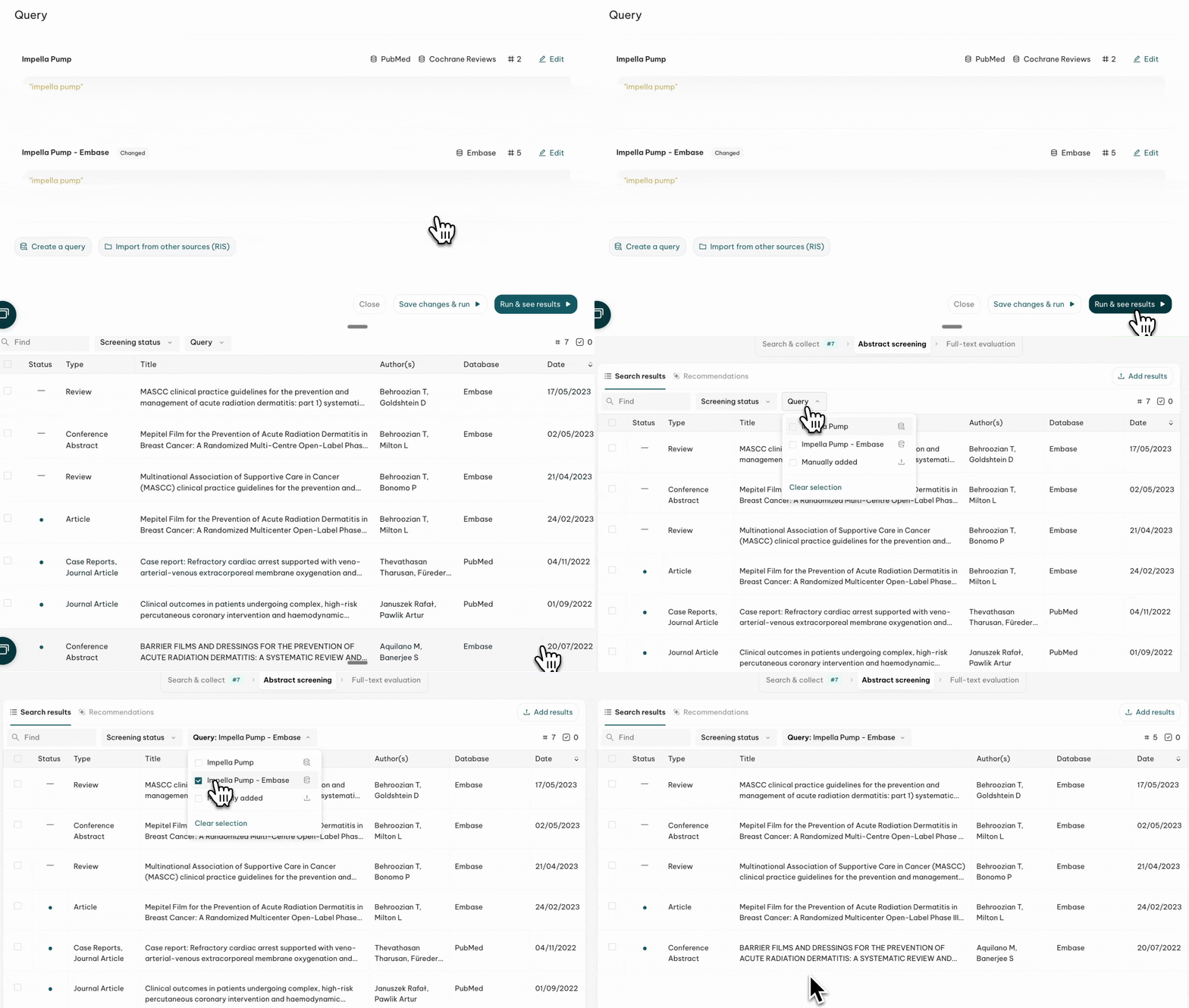
How to find RIS uploads in the result list:
- Use the Query toggle
2. Quick-add a non-systematic result in a search
In Abstract Screening, use the 📥 Add Result function to import a single paper and pick an option:
-
Import by DOI/PMID/ICTPR ID
- Metadata automatically added
- You may need to later attach the PDF if the article is in restricted access
- Upload Manually
- Choose a PDF from your documents
- Click on 🪄 Fill Metadata to automatically add all reference information
👏 You can now combine data from external sources within the same project and use ✨ AI Extraction on imported papers!